How to Rearrange Pages in a Digital Product

Should you wish to change the order of the pages in your digital product, you can do so easily enough. Let’s show you how.

A graphic with “Rearrange Pages in a Digital Product” text. Underneath is a simple stylized graphic depicting pages being rearranged.
Rearranging pages within a digital product couldn’t be easier

You will need to be inside the page editor to rearrange the pages in one of your digital products. This is step three of the digital product builder workflow.
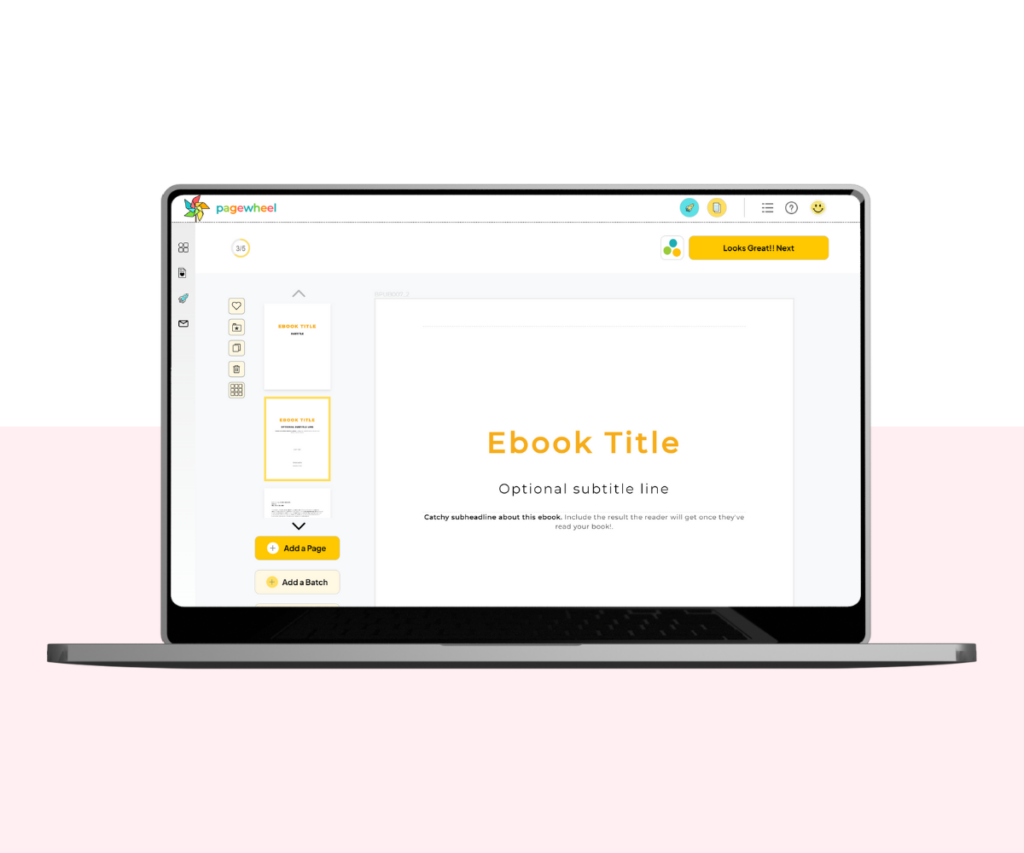
A screenshot of the page editor stage of the product builder.
Start in the page editor stage of the product builder

Start by clicking the grid view button.
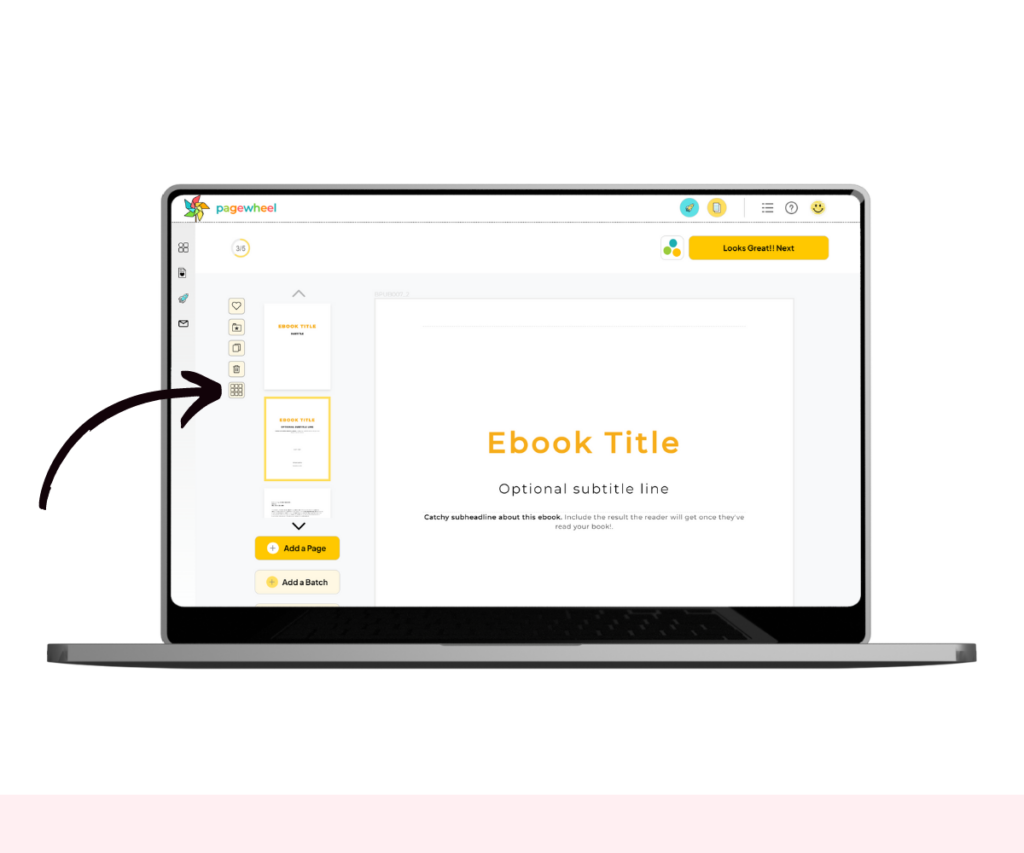
A screenshot showing how to select grid view.
Click the grid view button to display all the pages

This will bring up a preview of all the pages in your product and their current order.
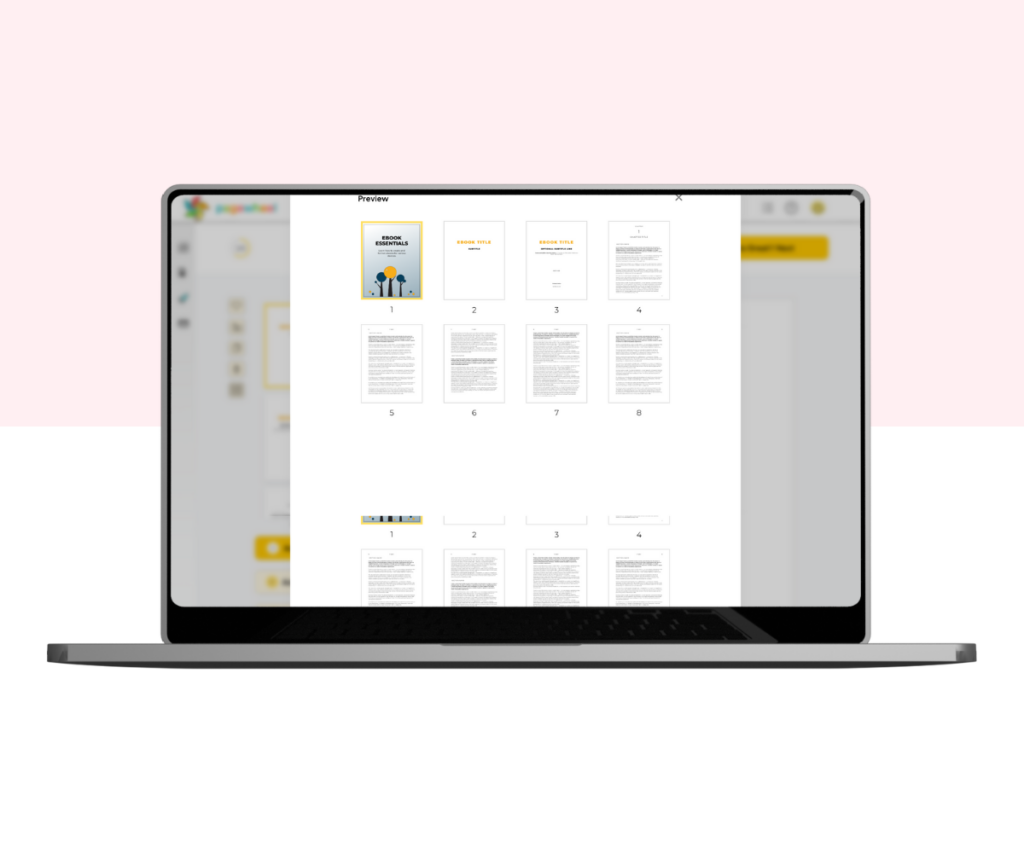
A screenshot of all a product’s pages in grid view.
Select a page, hold the mouse button down, and drag it to the correct position

Find the page you want to change, click on it, hold the left mouse button, and drag it wherever you want it to appear.

And that’s how you can easily rearrange the page order of any digital product.

Additional Resources

Similar Posts

  • How to Become a Pagewheel Affiliate

    You can earn recurring commissions on referrals sent to Pagewheel. To manage your affiliate account, simply log in to the affiliate dashboard. From there, you can track your referrals, monitor earnings, and view payouts all in one place. Accessing Affiliate Link Sharing Settings To join the Pagewheel affiliate program, you first need to sign up…

  • Navigating the Pagewheel Dashboard

    By navigating the Pagewheel dashboard, you can quickly access Pagewheel’s tools and get started growing your audience even faster than before! Navigating the Dashboard After logging in, you’re presented with the Dashboard screen. Creating Digital Products Pagewheel lets you easily create digital products. You can access the product builder by clicking the “Create My Digital…

  • How To Use Ready-To-Edit Templates To Create Your Digital Product

    One of the best things about Pagewheel is we’ve have created tons of templates to make your work easier. To use one of our ready-to-edit products, keep following our tutorial! Choosing Your Product Type The first step is, in your dashboard, click “Take me to the Product Builder”. This will take you to all the…

Leave a Reply

Your email address will not be published. Required fields are marked *